Step 1
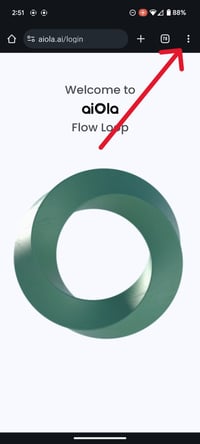
Click on the menu icon at the top-right corner of your browser.
Step 2
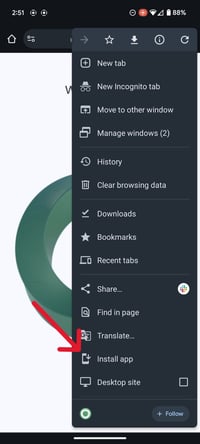
Click on "Install App" from the side menu.
Step 3
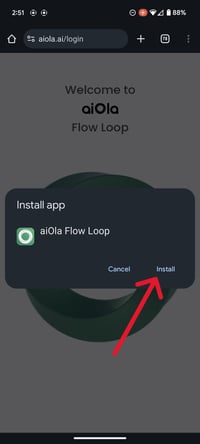
Click on "Install" in the "Install App" pop-up.
Step 4
The AiOla app is now in your home screen. Tap The app to open it!
-png.png?width=200&height=444&name=Untitled%20(7)-png.png)
![Aiola Logo_Circle_white (1) (1).png]](https://knowledge.aiola.com/hs-fs/hubfs/Aiola%20Logo_Circle_white%20(1)%20(1).png?height=40&name=Aiola%20Logo_Circle_white%20(1)%20(1).png)
Click on the menu icon at the top-right corner of your browser.
Click on "Install App" from the side menu.
Click on "Install" in the "Install App" pop-up.
The AiOla app is now in your home screen. Tap The app to open it!